Quickstart
Shepherd runs in your cluster and manages the Grafana Alloy collectors already there. This page installs it with Helm, points a collector at it, and serves that collector a pipeline — the whole loop, on a real cluster.
You need a Kubernetes cluster, helm, and a PostgreSQL database
Shepherd can reach. Any managed Postgres works — or let the chart provision one, see
Database.
Nothing to supply at all? With
CloudNativePG and the
External Secrets Operator already in the cluster,
one command (with --create-namespace) does the whole of steps 1 and 2 — the database is provisioned and the
encryption key and admin password are generated in-cluster:
--set cnpg.enabled=true --set externalSecrets.enabled=true. See
Secrets.
1. Create the secret
Two values are required and the server refuses to start without them. Generate the encryption key once and keep it — it encrypts git credentials and the OIDC client secret at rest, and a replacement key cannot decrypt what the old one wrote.
kubectl create namespace shepherd

kubectl -n shepherd create secret generic shepherd-secrets \
  --from-literal=SHEPHERD_DATABASE_URL='postgres://user:pass@host:5432/shepherd' \
  --from-literal=SHEPHERD_SECURITY_ENCRYPTION_KEY="$(openssl rand -base64 32)" \
  --from-literal=SHEPHERD_BOOTSTRAP_ADMIN_PASSWORD='choose-a-password'
2. Install the chart
The chart is published as an OCI artifact, so there is nothing to clone and no repository to add.
helm install shepherd oci://ghcr.io/procoduck/charts/shepherd --version 0.22.0 \
  --namespace shepherd \
  --set existingSecret=shepherd-secrets \
  --set config.server.base_url=http://shepherd.shepherd.svc.cluster.local:8080

kubectl -n shepherd rollout status deploy/shepherd
Database migrations run as a Helm pre-install/pre-upgrade hook, so
helm install waits for the schema to be current before it creates the
Deployment at all. config.server.base_url is the address collectors reach
Shepherd at — here the in-cluster Service; set your external URL instead once you
expose it. The install above deliberately exposes nothing: route and ingress are both off by
default, because an HTTPRoute needs Gateway API CRDs that a vanilla cluster does not have.
Reach it with a port-forward first and decide how to expose it afterwards — see
Exposing Shepherd.
kubectl -n shepherd port-forward svc/shepherd 8080:80803. Sign in
Open http://localhost:8080 and sign in as
admin with the bootstrap password from step 1. That account is created on first
boot, only while the users table is empty. If you left the password out, it is
admin/admin and can do nothing at all until you change it —
signing in takes you straight to a Change password screen, and the rest of
the app stays locked until you set a new one.
4. Mint an agent token
Collectors authenticate with an agent token. Create one at Admin → Agent Tokens; the secret is shown exactly once.
5. Point Alloy at it
Add a remotecfg block to the Alloy instances you want managed. In-cluster, the
URL is the chart’s Service:
remotecfg {
  url = "http://shepherd.shepherd.svc.cluster.local:8080"
  basic_auth {
    username = "<token-uuid>"
    password = "<token-secret>"
  }
  attributes = {
    cluster = "prod-eu-1",
    role    = "metrics",
  }
  poll_frequency = "60s"
}
The attributes are what pipelines select on, so they are worth choosing
deliberately — see Matchers and validation.
Running Grafana’s k8s-monitoring chart? Skip the hand-written block: on Collectors, Connect a cluster generates the values for it.
6. Claim the cluster
Within one poll interval Admin → Clusters shows the cluster the collector reported, unclaimed. Claim it into an organisation — on a fresh install, create one first at Admin → Organisations — and its collectors appear under Collectors, where they can be managed.
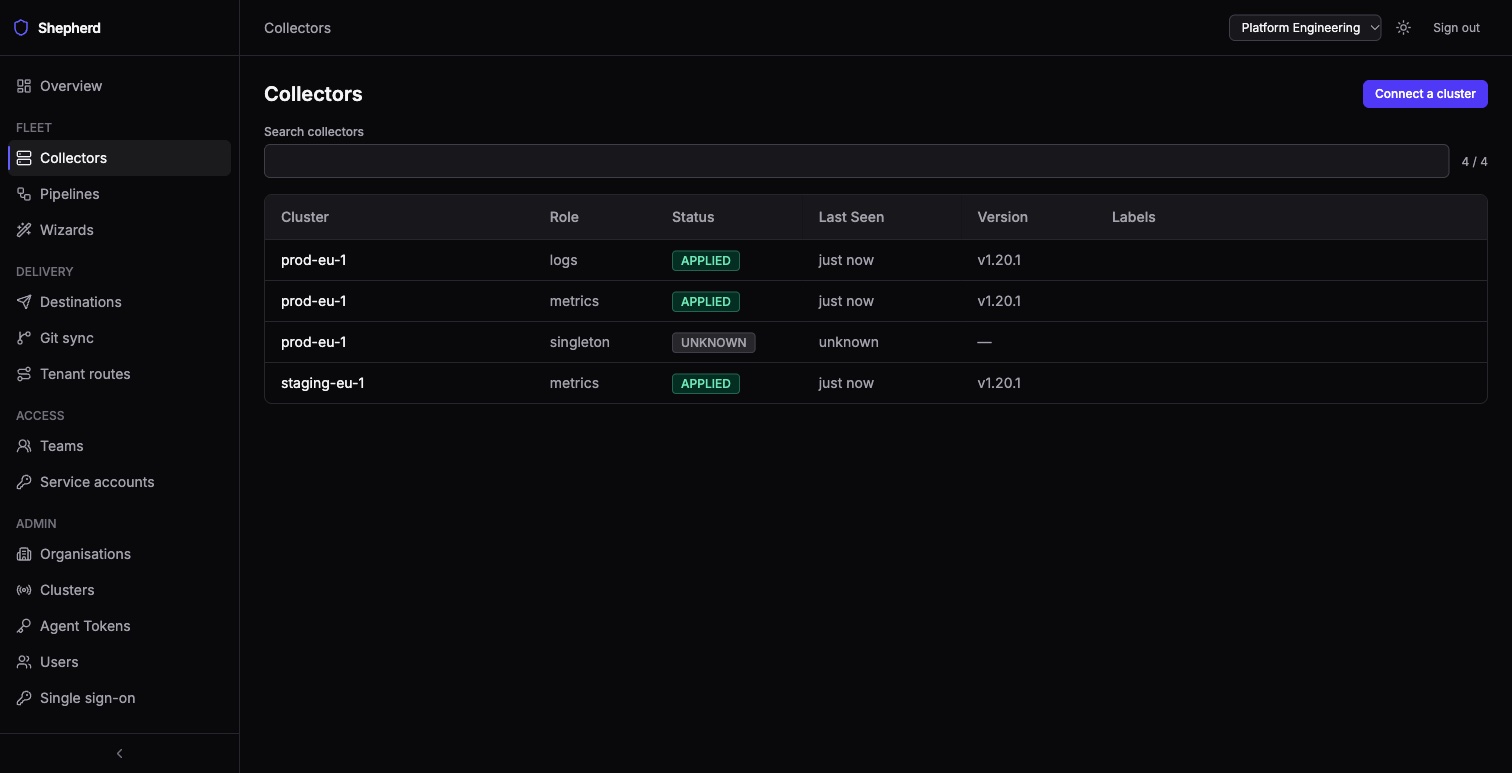
An unclaimed collector is served an empty config, not an error, so it keeps running whatever it already had. Once claimed, a collector is served a small beacon pipeline (unless you turned the beacon off) and reloads once; nothing else changes until you deliberately enable a pipeline that matches it.
7. Serve it a pipeline
Create a pipeline — from Wizards, or on Pipelines with the Visual builder or New pipeline to paste Alloy. Give it matchers that select the collector you just connected, enable it, and watch the served config on that collector’s page change on its next poll.
That loop — author, match, serve — is all of Shepherd.
Where to go next
- Kubernetes (Helm) — exposing it, high availability, and what the chart renders.
- Helm values — every value the chart accepts.
- Configuration — the settings behind the secret.
- Roles and access — before you let anyone else in.
- Running from source — only if you are developing Shepherd itself.