Users and teams
Shepherd runs with no identity provider at all. Local accounts are a supported way to operate it — not an emergency mode — and they coexist with single sign-on rather than being an alternative to it. Configuring SSO does not disable them, and having them does not weaken SSO.
The first administrator
On first boot, while the users table is empty, Shepherd creates one administrator from
SHEPHERD_BOOTSTRAP_ADMIN_LOGIN and SHEPHERD_BOOTSTRAP_ADMIN_PASSWORD.
Set the password and the account is yours. Leave it unset and you get
admin/admin with a forced password change — it can do nothing
at all until the password is changed, so an unattended install cannot sit quietly on a default
credential. Everything after that is managed from the UI.
Managing accounts
Admin → Users lists local accounts, their status, and their role in each organisation. People who sign in through your identity provider do not appear here — their access comes from their groups, and Shepherd holds no row for them.
An account carries three states worth reading at a glance:
- App administrator — reaches every organisation.
- Must change password — the password was set by somebody other than
the account’s owner, so it is a handover rather than a credential. This is the default
when an admin creates an account or resets a password; that person is sent to a
Change password screen at their next sign-in and cannot reach anything else
until they set their own. Any local user can change their own password at any time by opening
/change-password; an app admin also has a Change my password button on Admin → Users. - Disabled — revokes access without deleting the account, so audit entries naming that person keep resolving to something.
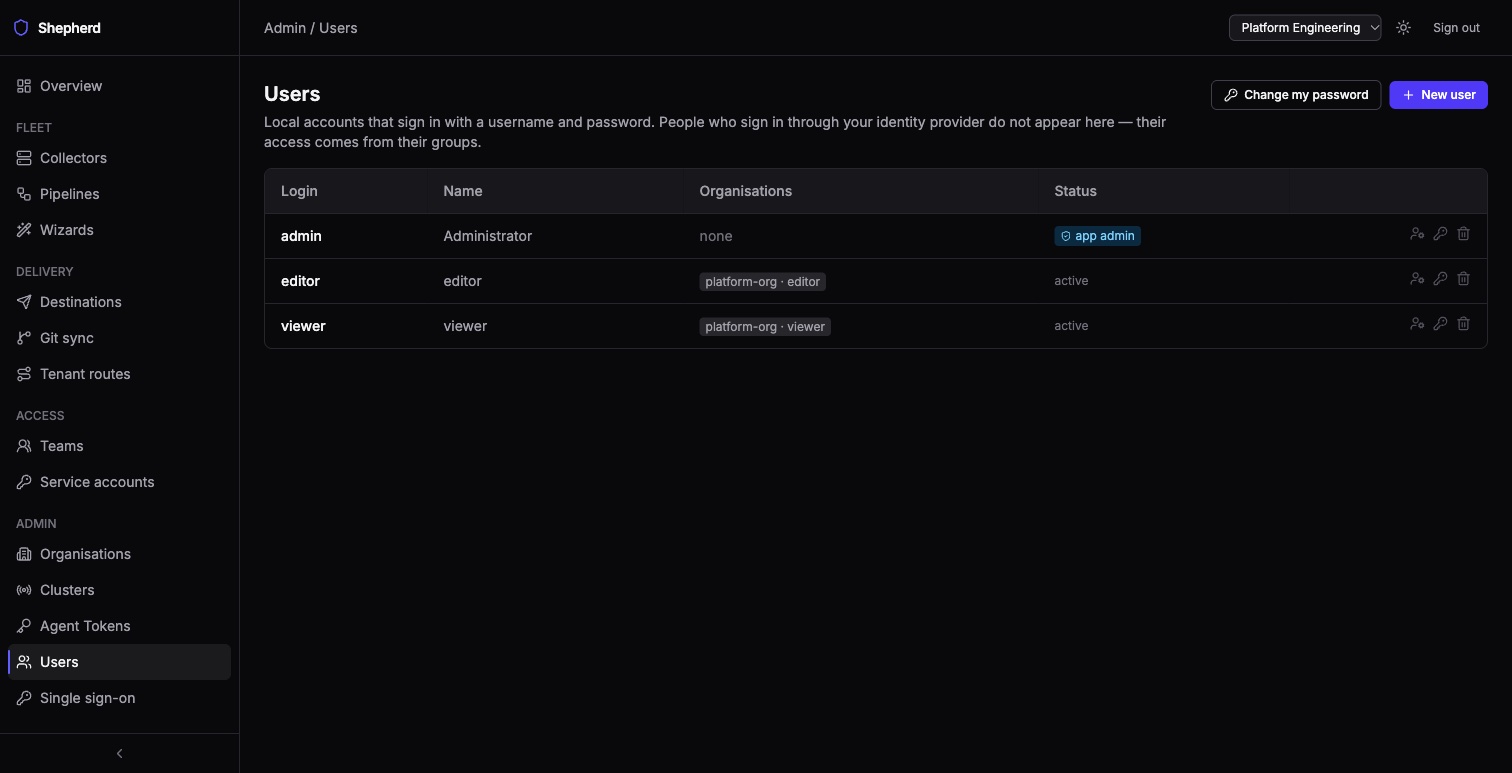
The last administrator cannot be removed. Demoting, disabling or deleting the only remaining enabled app admin is refused rather than allowed and regretted — there is no way back into an instance that has none.
Giving an account a role
Editing a user offers its organisations: add one, change the role
(admin, editor, viewer), or remove the membership. An
account with no organisation can sign in and see nothing, so this is part of creating a usable
account rather than a later administrative step. What each role may do is in
Roles and access.
Teams and who may edit a pipeline
A pipeline with no owning team can be edited only by an organisation administrator or editor. Give it an owning team and that team’s members can edit it too, with no wider write access — that is the whole point of a team: a scoped write for people who are otherwise viewers. (Team membership alone also gives read access to the organisation, as a viewer has.) An org admin sets or clears the owning team on the pipeline’s page; everyone else sees it read-only.
A team member edits their team’s pipeline the same way an editor does: its text on the pipeline’s page, or its graph in the visual builder if it was built there. They can also enable, disable, delete, restore a revision of, and detach from its wizard any pipeline their team owns. Creating pipelines in the UI — a new pipeline, a wizard, a brand-new visual pipeline — and the builder’s simulations stay with the org editor; the builder shows a team member why Simulate is unavailable.
A team draws its members from an identity provider group, from an explicit list of local users, or from both — membership is the union, and the Teams page shows which sources a team uses. A team may have no group at all, which is how teams work in a deployment with no identity provider.
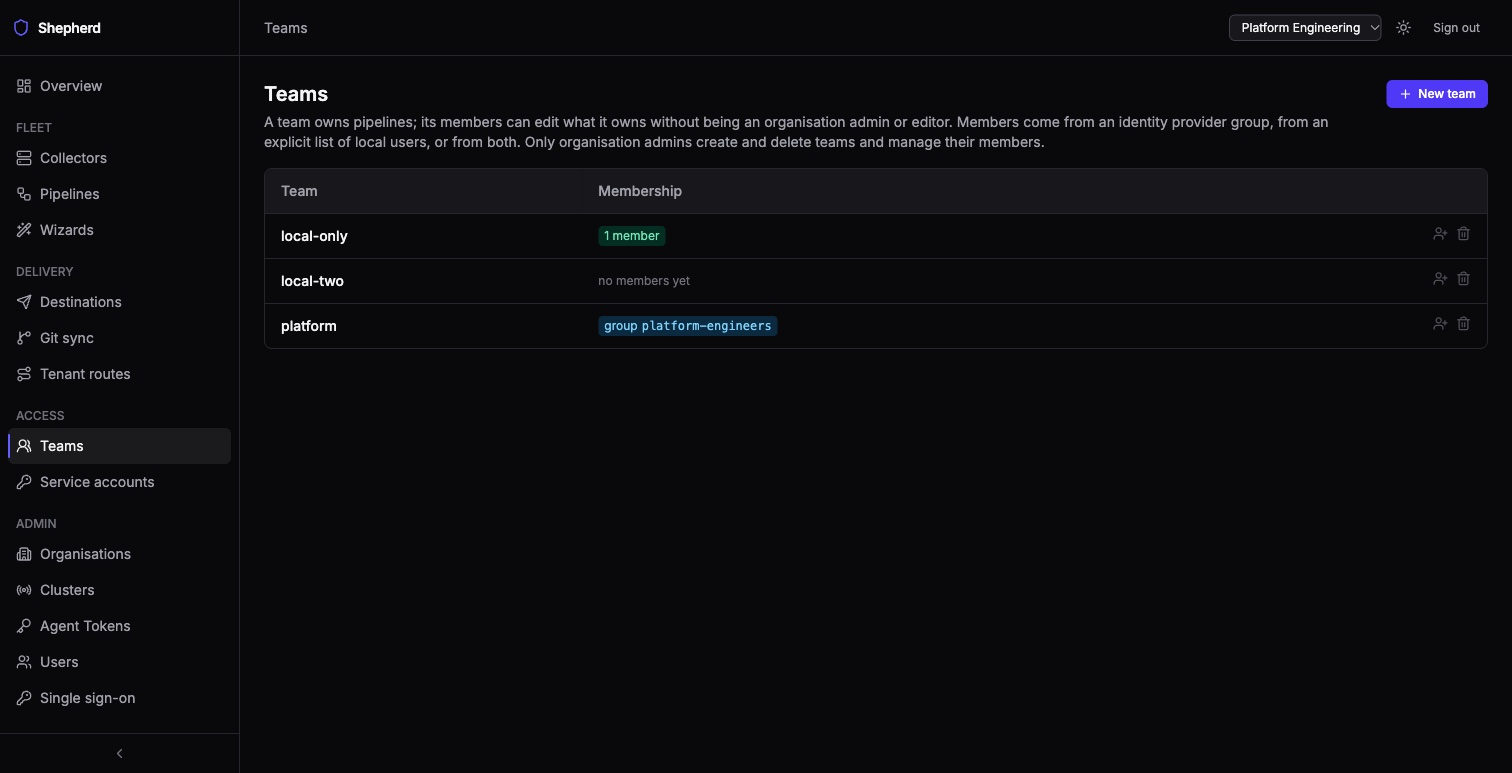
A group-backed team shows no roster, on purpose. That membership exists only as a claim inside a signed token, so there is no list for Shepherd to read — the honest answer is the group’s name, which is what the page shows. Rendering an empty list beside a configured group would read as “this group has nobody in it”.
Running with no identity provider
Nothing has to be turned on. Do not set oidc.issuer, set a bootstrap admin
password, and create the accounts you need at Admin → Users. Sign-in is
a username and password; sessions, roles, teams, audit and everything else behave exactly as
they do with SSO.