Single sign-on
Shepherd authenticates humans through OIDC against any spec-compliant provider. There are built-in presets for Microsoft Entra ID, Okta, Google, Auth0, Keycloak, AWS Cognito, GitLab, authentik and OneLogin, plus a generic option for anything else.
One setting decides where that configuration comes from: oidc.issuer.
oidc.issuer in your values | Result |
|---|---|
| Set | The chart owns SSO. The admin UI shows it read-only, without Save or Test connection, and the server refuses writes — a cluster whose identity provider is declared in git is not re-pointed from a browser session |
| Not set | An app admin configures a provider at Admin → Single sign-on. It is stored encrypted in the database and takes effect without a restart. Collector OIDC is read from chart config only, so it needs this set in your values |
To set it up from the UI:
- Get in first. Sign in as the administrator created on first boot, or as any local user with app-admin rights. Local accounts and SSO coexist — configuring an identity provider does not disable them.
- Sign in, then open Admin → Single sign-on.
- Pick your provider. The preset fills in claim names and scopes, and tells you what you must configure in the IdP for group membership to arrive — the most common way to get this wrong, because it fails as a silently empty group list rather than an error.
- Register the shown redirect URL with your provider. Its path must be exactly
/auth/callback. - Test connection before enabling. It runs OIDC discovery and reports the issuer and endpoints it found. It checks the issuer only — your client ID, secret and redirect URL are not exercised until someone actually signs in.
- Fill in App admin groups, then enable. Leave it empty and nobody can administer Shepherd through SSO.
Groups decide access. Whatever your provider puts in the groups claim is matched
against the App admin groups (auth.app_admin_group_ids when the
chart owns SSO) and each org's admin/editor/viewer group. For Entra those are
object GUIDs; for every other provider they are whatever your IdP emits — usually a group name
or a path like acme/platform. Keep at least one local administrator until you have
confirmed an SSO sign-in lands you with app-admin rights — local accounts are not a
fallback mode, they are a supported way to run Shepherd alongside SSO or instead of it.
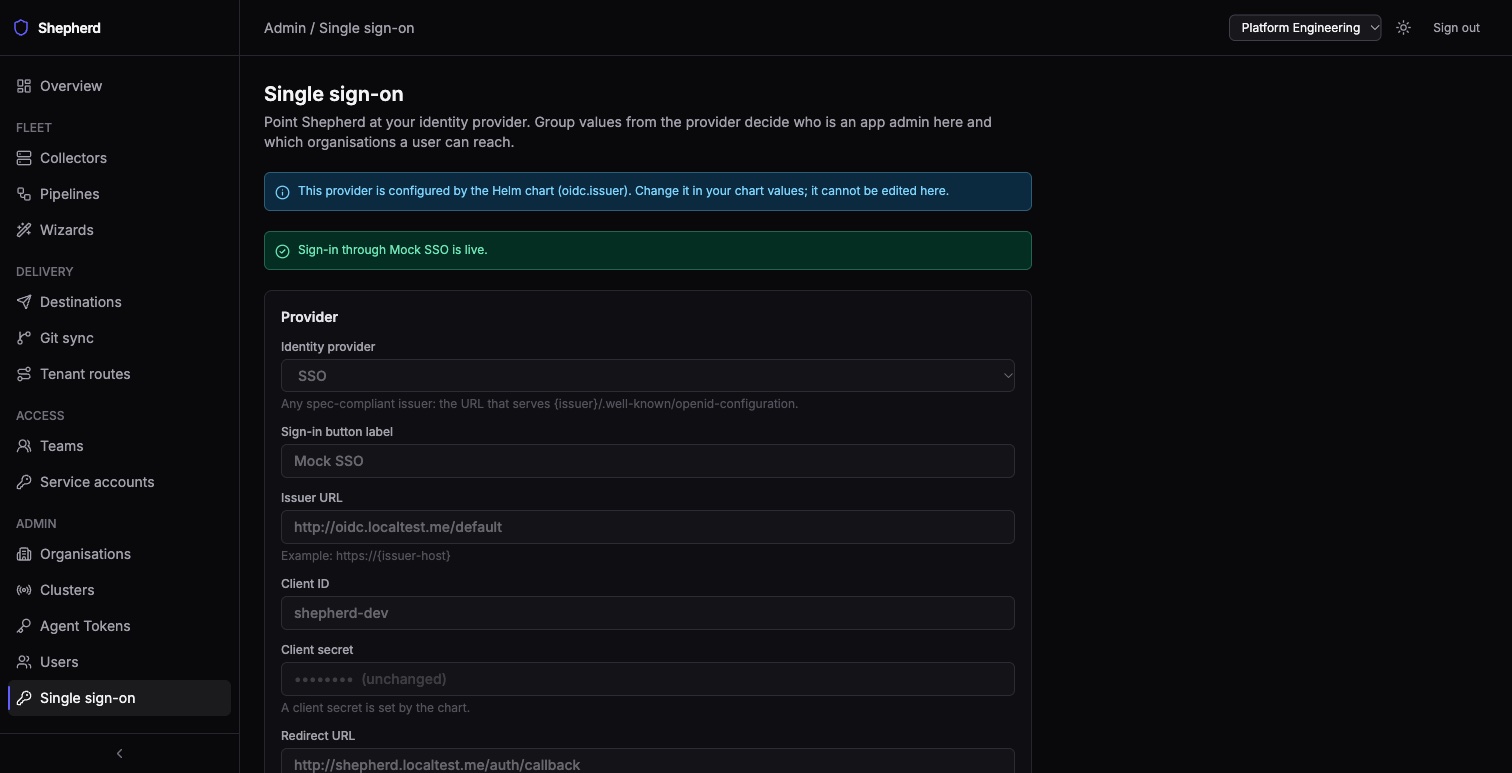
The screenshot shows the chart-managed state: the same form, read-only, with no Save or Test connection.
The same identity provider can also authenticate your Alloy collectors, not just people. See Agent tokens → Authenticate with OIDC for the collector-side configuration.